Workout Journal App for iPhone: What to Log and How to Use It
A workout journal app for iPhone is a place to record what you did in each session: the exercises, sets, reps, weight, and how hard each set felt. The most useful one is the one you will actually open every workout, because the real value comes from seeing last session's numbers before you lift and using them to decide when to add reps or weight. Start with those basics, log each set as you go, and review your entries once a week.
Written by FitDrake Team, updated on November 20, 2026

Most people start lifting with good intentions and a vague memory of what they did last week. That works for a little while, then the weights stop moving and it is hard to say why. A workout journal fixes that. This guide covers what is worth writing down, how to log quickly on your phone without slowing down your session, and how to turn a week of entries into a clear next step.
Why should you keep a workout journal?
You should keep a workout journal because getting stronger depends on doing a little more over time, and you can't reliably do more than last time if you don't know what last time was. A log turns guesswork into a simple comparison.
That idea, called progressive overload, is the backbone of every good strength program. The American College of Sports Medicine's position stand on progression in resistance training recommends increasing the load by 2% to 10% once you can perform the current weight for one to two reps more than your target. You can only apply that rule if you know your target, your weight, and how many reps you actually got. For a deeper look at the different ways to progress, see our guide to progressive overload explained.
A journal also keeps you honest about consistency. A systematic review of self-monitoring in weight loss found a consistent link between tracking (diet, exercise, and weighing) and weight loss, although the authors rated the overall evidence as weak because of limitations in how the studies were done. Logging is not magic, but it makes your habits visible, and visible habits are easier to change.
What should you write in a workout journal?
Write down the date, each exercise, and for every set the weight, the reps, and how hard it felt. Those few details cover almost everything you need to plan your next session. Everything else is optional.
Here is what to record, from most to least important:
- Exercise name. Use the same name every time, such as "seated dumbbell shoulder press," so entries are easy to compare.
- Weight and reps for each set. Log every working set, not just the best one.
- Effort. A quick note of how many more reps you could have done (more on this below).
- Rest time. Useful if you are short on time or your performance drops off between sets.
- A short note. Sleep, energy, a form cue that helped, or any discomfort worth watching.
A single entry can be this simple. The numbers below are only an example, not a recommendation for your starting weight:
| Set | Weight (each hand) | Reps | Reps left in the tank |
|---|---|---|---|
| 1 | 20 lb | 10 | 2 |
| 2 | 20 lb | 10 | 1 |
| 3 | 20 lb | 8 | 0 |
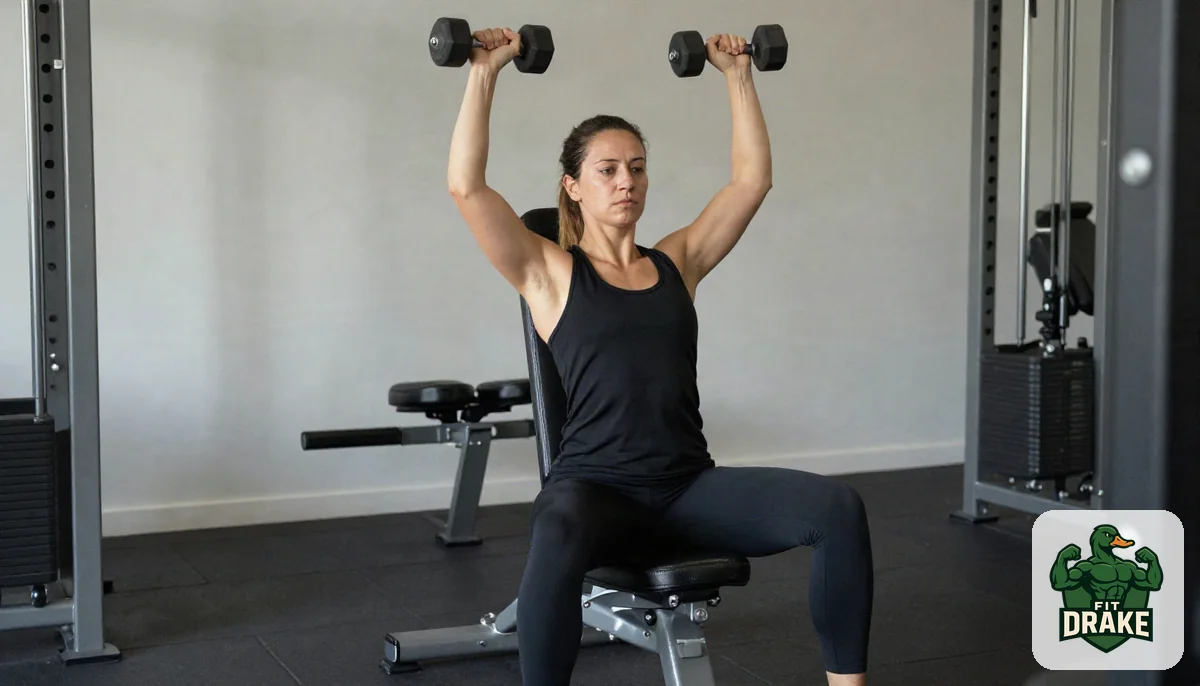
Next session, the goal is clear: try to get closer to 10 reps on the third set before adding weight. If you need a refresher on technique for this lift, our seated dumbbell overhead press guide walks through the setup.
Should you log cardio, body weight, and meals too?
Log them if they connect to your goal. If you are trying to lose fat, a weekly body weight trend and a rough food log add useful context to your training notes. If your goal is strength, the lifting log matters most, and extras can wait until the habit sticks.
How do you track effort with RPE or reps in reserve?
The easiest way to track effort is to write down how many more good reps you could have done at the end of each set. This is called reps in reserve, or RIR, and it tells you whether a weight is easy, challenging, or at your limit.
Researchers have built a lifting-specific effort scale around this idea. In a study introducing an RIR-based RPE scale, a rating of 10 meant zero reps left and a rating of 9 meant one rep left, and the authors concluded that the scale is a practical way to regulate daily training load. You don't need the numbers on a scale to benefit. Just jot down "2 left" or "0 left" next to each set.
Effort notes make your log smarter. If you hit 10 reps with plenty left in the tank, you are ready to progress. If you hit the same 10 reps but had nothing left, stay at that weight a little longer. If your early estimates feel like guesses, that's normal; keep noting them and compare them with what actually happens on your last set.
How do you use a workout journal app on iPhone?
Set up your exercises before you train, log each set right after you finish it, and glance at last session's numbers before your first working set. That routine adds only seconds per set, and it keeps your entries accurate.
A few habits make phone logging painless:
- Build your session ahead of time. Enter or pick the exercises before you get to the gym so you are not typing names between sets.
- Log during your rest. The minute or two between sets is the perfect time to record weight, reps, and effort while they are fresh.
- Check your last session first. Knowing you did 20 lb for 10, 10, and 8 last time gives you a clear target today.
- Keep notes short. A few words like "left shoulder tight" or "slept badly" are enough to explain an off day later.
- Put the phone down after logging. Logging should take seconds, not turn into scrolling time that stretches your rest.

If you'd rather not hold your phone between sets, FitDrake's Apple Watch app lets you log sets with weight and reps on the Digital Crown, with a rest countdown and live heart rate on your wrist.
Is a notebook or an app better for a workout journal?
Either one works if you use it every session. A notebook is simple and distraction-free, while an app makes it faster to look up past numbers and spot trends over weeks and months.
| Paper notebook | Workout journal app | |
|---|---|---|
| Setup | Pen and paper, nothing to learn | A few minutes to set up |
| Logging speed | Fast once you have a format | Fast, especially with saved exercises |
| Looking up past sessions | Flipping pages | Search or history in a few taps |
| Seeing trends | You draw your own charts | Charts and summaries are often built in |
| Distractions | None | Your phone's notifications |
If you like writing things down, start with a notebook and a consistent format. If you already carry your phone everywhere and want history and trends without extra work, an app is the more practical choice.
How do you review your workout journal each week?
Once a week, compare each main exercise to the week before: did the weight, reps, or effort improve? Then pick one small change for the coming week, such as adding a rep, adding a little weight, or holding steady.
A simple weekly review looks like this:
- Find your wins. Note any lift where you added reps or weight at the same effort.
- Spot stalls. If an exercise hasn't moved for two or three sessions, look at your notes for sleep, stress, or skipped sessions before changing anything.
- Check effort. If most sets show zero reps left, you may be pushing too close to failure too often; ease off slightly.
- Plan one change. Apply the progression rule from earlier, or add a rep when the next weight jump is too big. With dumbbells, the next pair up is often a larger jump than 10%, so adding reps first is usually the easier step.

If you'd rather not build charts yourself, FitDrake's Progress tab shows your weight against your goal and your strength week by week, and a separate journal view lists everything you logged, day by day, with a calendar.
A structured plan makes this review even easier, because every session has a clear target. Our 4-day upper/lower split at home is a good example of a plan that pairs well with a weekly log.
What mistakes make a workout journal less useful?
The biggest mistakes are logging inconsistently, recording only your best set, and changing exercises so often that nothing can be compared. A journal is only as good as the patterns it can show.
- Skipping sessions in the log. Missing entries hide the real reason progress stalls.
- Only writing the top set. Your back-off sets show fatigue and are part of your total work.
- Changing exercises every week. Keep your main lifts the same for several weeks so the numbers mean something.
- Ignoring warning signs. If a note like "knee pain" keeps showing up, stop the movement that causes it and talk to a doctor or physical therapist.
- Comparing your log to someone else's. Your journal measures your progress against your own past, not anyone else's numbers.
Frequently asked questions
What is a workout journal?
A workout journal is a record of your training sessions. At minimum, it lists the date, exercises, sets, reps, and weight for each workout, and it often includes effort ratings and short notes. It can be a paper notebook, a spreadsheet, or a phone app.
Should I log my workouts?
Yes, if you want to get stronger or change your body composition in a steady way. Logging lets you see what you did last time, apply progressive overload on purpose, and notice when something like poor sleep is holding you back. Even a basic log of exercises, weights, and reps is enough.
How do I keep a workout journal as a beginner?
Keep it simple. Pick a handful of exercises, log the weight and reps for every set, add a one-word effort note, and review your entries once a week. Focus on logging every session for the first month; you can add details like rest times later.
How do I make a workout journal template?
Create columns for the date, exercise, set number, weight, reps, and reps left in the tank, plus a space for notes. Use one row per set. You can draw this in a notebook, set it up in a spreadsheet, or use an app that already has these fields built in.
Is there a free workout journal app for iPhone?
Yes. Many workout journal apps on the App Store are free to download, though some features may cost extra. If you only need the basics, the built-in Notes app on your iPhone can work as a simple log until you want history and charts.
Want your workouts planned and logged in one place?
FitDrake builds your plan (exercises, sets, reps and rest) from your goal, schedule, equipment and training level, and when you finish a week, the next one is built from what you actually logged.
Download FitDrake on the App Store and start with the free plan, which includes one goal, one AI workout plan, and weight and measurement tracking.
Key takeaways
- A workout journal records your exercises, sets, reps, weight, and effort so you can see exactly what you did last time.
- Progressive overload depends on that record: add load once you can beat your rep target, or add reps first when the next weight jump is too big.
- Track effort with reps in reserve by noting how many more reps you could have done.
- Log each set during your rest, check last session's numbers before you lift, and review your entries once a week.
- A notebook or an app both work; choose the one you will use every session.