Apple Watch Strength Training App: What to Look For (and What the Watch Can't Do)
A good Apple Watch strength training app lets you see your current exercise, log each set's weight and reps from your wrist in a few seconds, time your rest with a tap on the wrist, and show what you lifted last time so you know what to beat. It should also save the session to Apple Health with your heart rate. What the Watch can't do well on its own is know how much weight you lifted, count every rep reliably, or tell you exactly how many calories a lifting session burned.
Written by FitDrake Team, updated on November 23, 2026
Lifting with your phone in one hand gets old fast. You unlock it to check the next exercise, it slides off the bench, a notification pulls you away, and three minutes later your rest period has doubled. A watch on your wrist can take over most of that job, but only if the app on it is built for lifting. This guide explains what to look for, what Apple's built-in workouts actually record, how far you can trust heart rate and calorie numbers, and how to run a full session from your wrist.
What should an Apple Watch strength training app do?
An Apple Watch lifting app should let you run the whole session from your wrist: see the current exercise and set, log weight and reps quickly with one hand, start a rest timer that taps you when it's time to go, and show last session's numbers. Everything else is a bonus.
Use this checklist when you compare apps. It's built around what you actually do in a gym, not around feature counts.
| What to check | Why it matters | Quick test before you commit |
|---|---|---|
| Current exercise and set on the wrist | You shouldn't need your phone to know what's next | Start a workout and see if the next exercise appears on the Watch without touching the phone |
| One-handed set logging | You're holding a dumbbell or chalked up; tiny number pickers are slow | Log a set's weight and reps using only the Digital Crown or a single tap |
| Last session's numbers | Progress means beating last time, so you need to see last time | Check whether the previous weight and reps show before you lift |
| Rest timer with a wrist tap | Rest drifts when you're scrolling | See if rest starts on its own after a logged set and taps your wrist when it ends |
| Heart rate during the session | Useful context for effort and recovery between sets | Confirm heart rate updates live, not only in the summary |
| Saves to Apple Health | Keeps your lifting next to steps, sleep, and other data | Finish a workout and check that a strength workout appears in Health |
| Works with or without your iPhone nearby | Some apps need the phone for every step, others don't | Read the app's own description, then test it with your phone in a locker |
| Device requirements | Older iPhones or watches may not be supported | Check the iOS and watchOS versions listed on the App Store page |
You don't need every row to be perfect. A beginner who trains at home can live without standalone use. Someone who lifts in a busy gym with a phone in a locker can't.
Why use your Apple Watch instead of your phone between sets?
The main reason is speed and focus. Logging on your wrist takes a few seconds and keeps your phone in your bag, which means fewer distractions and rest periods that stay close to what your plan calls for.
Rest length isn't a small detail. The American College of Sports Medicine's position stand on progression in resistance training gives different rest ranges for different goals, such as 1 to 2 minutes between sets for muscle growth and 3 to 5 minutes for heavy strength work. A timer on your wrist makes those ranges easy to follow, because you feel the tap even when you're not looking at a screen.
The second reason is accuracy. When you log right after a set, from your wrist, you record what you actually did. When you wait until the end of the session, you rely on memory, and memory tends to round reps up.
What do Traditional and Functional Strength Training record on Apple Watch?
Both built-in workout types record time, heart rate, and an estimate of active calories, and both count toward your Activity rings. Neither one logs your exercises, sets, reps, or the weight you lifted. The main practical difference is how the Watch estimates calories.
Apple lists both types in the Workout app without long definitions. In plain training terms:
- Traditional Strength Training fits classic lifting with machines, barbells, or dumbbells: a few sets, a load, and real rest between sets.
- Functional Strength Training fits circuits with body weight, kettlebells, or light dumbbells done back to back with short rest.
Here's the part most guides skip. Apple's white paper on heart rate and calorie measurement on Apple Watch lists the workout types that have a validated calorie model. Functional Strength Training is on that list, in a heart-rate-based group with Core Training and Pilates. Traditional Strength Training is not. For workout types without their own model, Apple says you earn at least the credit equivalent of a brisk walk while moving, with possible extra credit from sensor data.
| Built-in workout type | Best fit | Logs sets, reps, and weight? | Validated calorie model in Apple's 2024 white paper? |
|---|---|---|---|
| Traditional Strength Training | Sets with machines, barbells, or dumbbells and real rest | No | No |
| Functional Strength Training | Circuits with body weight, kettlebells, or light loads | No | Yes |
So pick the type that matches what you're doing, then use a lifting app if you want the actual numbers. The workout type tells Health that you trained; a lifting app tells you what you lifted.
Should you log sets manually or let the app count reps?
Log sets manually if you want numbers you can trust, and treat automatic rep counting as a convenience that you check. Manual logging takes a few seconds per set and gives you an exact record of weight and reps.
Automatic rep counting reads wrist motion. That can work well on simple, rhythmic moves like curls or presses, but it struggles when your wrist barely moves (leg press, squats with the bar on your back), when a cable or machine changes the path, or when you pause, re-rack, or do partial reps. And no wrist sensor knows the weight on the bar or how many reps you had left in the tank. You still have to enter the load.
A practical approach:
- Use auto-count, if your app has it, on moves where your wrist travels the full range.
- Glance at the count after each set and correct it before you rest.
- Always enter the weight yourself.
How accurate are Apple Watch heart rate and calories during lifting?
Heart rate from a wrist sensor is useful context during lifting, but it's less reliable than during steady cardio. Calories for a lifting session are a rough estimate, not a precise number to plan meals around.
Lifting is hard on optical sensors. Gripping a heavy dumbbell tightens your forearm, wrists bend, and effort comes in short bursts. In a study of eight wearables during cycling and resistance exercise, 50 adults did three sets of four resistance exercises at a 10-rep-max load. Across devices, heart rate was underestimated more as intensity rose, and no device gave a valid calorie estimate during cycling or resistance exercise. The study used an Apple Watch Series 2, so newer models may do better, but the lesson still holds: wearables aren't medical devices.
Apple's own data points the same way for strength work. In the white paper, Functional Strength Training was validated with 53 participants and showed an average error of 2% against the reference, but with a standard deviation of 17%. That means the average is close, while any single session can be well above or below.
How to use these numbers sensibly:
- Wear the band snug but comfortable during lifting, as Apple's white paper recommends.
- Use heart rate to see trends, such as how fast you recover between sets, not as an exact effort score.
- Treat session calories as a ballpark. If you're tracking food for fat loss, your weekly weight trend is a better guide than one workout's calorie number.
What should you set up before your first lifting session with the Watch?
Spend a few minutes on setup so your first session records cleanly: check the app's device requirements, keep your personal details current, turn on the settings the Watch uses for heart rate and calories, and allow Health access. Then test-log a single set at home.
- Check requirements first. Every App Store listing states the minimum iOS and watchOS versions. Apps differ here, so update your iPhone and Watch, or pick another app, before you're standing at the rack.
- Keep your personal details current. Apple's white paper says the Watch uses details such as weight, height, age, and sex to help estimate calories. You can update them in the My Watch tab of the Apple Watch app on iPhone.
- Turn on the right settings. The same paper recommends turning on Wrist Detection, plus Location Services and Motion Calibration & Distance in your iPhone's Privacy & Security settings.
- Allow Health access. When the lifting app asks, let it save workouts to Apple Health so your sessions sit next to your steps, sleep, and other data.
- Do a dry run. Log one practice set at home, end the workout, and confirm it appears in Health and in the app's history. A missing workout is much easier to fix on the couch than mid-session.
What does a lifting session on Apple Watch look like, from first tap to sync?
A smooth session looks like this: open your lifting app on the Watch, start today's workout, log each set during the rest that follows it, glance at last time's numbers before the next set, and finish on your wrist so the workout saves to Apple Health.
Here's a sample upper-body session, step by step. The exercises, weights, and reps are only an example, not a recommendation for your starting point.
- Before you start. Check that the Watch is charged, the band is snug, and today's workout is loaded. If your app needs the iPhone nearby, keep it in your bag rather than your hand.
- Start on the wrist. Open the app and start the workout. The first exercise (say, a dumbbell bench press, 3 sets of 10 with 40 lb dumbbells) appears on the screen.
- Lift, then log. After set 1, enter 40 lb and 10 reps. With a Digital Crown input, that's a turn and a tap.
- Rest on a timer. The rest countdown starts. Sip water, breathe, and wait for the tap.
- Check last time. Before set 2, glance at last week's numbers. If you got 10, 10, and 8 last time, today's goal is to beat that 8 on the final set.
- Move through the session. Repeat for each exercise. If a machine is taken, swap the exercise and log the substitute so your history stays honest.
- Finish on the wrist. End the workout on the Watch. Check that the strength workout shows up in Apple Health and that your sets appear in the app's history on your iPhone.
If you'd rather not juggle your phone between sets, FitDrake's Apple Watch app lets you log sets with the Digital Crown, follow a rest countdown, and see your live heart rate. The Apple Watch app runs on watchOS 10 or later, pairs with an iPhone on iOS 17 or later, and saves the session to Apple Health as a strength workout.
If a lift causes sharp or unusual pain, stop the set and check with a doctor or physical therapist before you continue training that movement.
Which kind of app fits you: a logger, an auto-counter, or a guided plan?
Pick by the job you need done. A simple logger suits people who already follow a program. An auto-counter suits people who hate typing between sets. A guided plan suits people who don't want to decide sets, reps, and progression themselves.
| App type | What it does | Best for | Watch out for |
|---|---|---|---|
| Simple logger | You choose exercises and enter weight and reps | Lifters who already have a program | You plan progression yourself |
| Auto-counter | Counts reps from wrist motion; you confirm and add weight | People who want fewer taps | Miscounts on machines, cables, and slow lifts |
| Guided plan | Builds the workout and adjusts it over time | Beginners and busy people who want structure | Make sure you can still edit, swap, and log freely |
New Watch-first lifting apps appear on the App Store regularly, so a "top 7" list goes stale quickly. Run any app you're considering through the checklist above and keep the one you'll open every session.
If you'd rather not work out progression on your own, FitDrake builds your plan (exercises, sets, reps and rest) from your goal, schedule, equipment and training level. With a paid FitDrake plan, when you finish a week, the next one is built from what you actually logged.
How do you use your logged numbers to keep getting stronger?
Use your log to apply progressive overload: when you can beat your target reps, add a little weight. The ACSM guidance linked above suggests increasing the load by 2% to 10% once you can do one to two reps more than your target with the current weight.
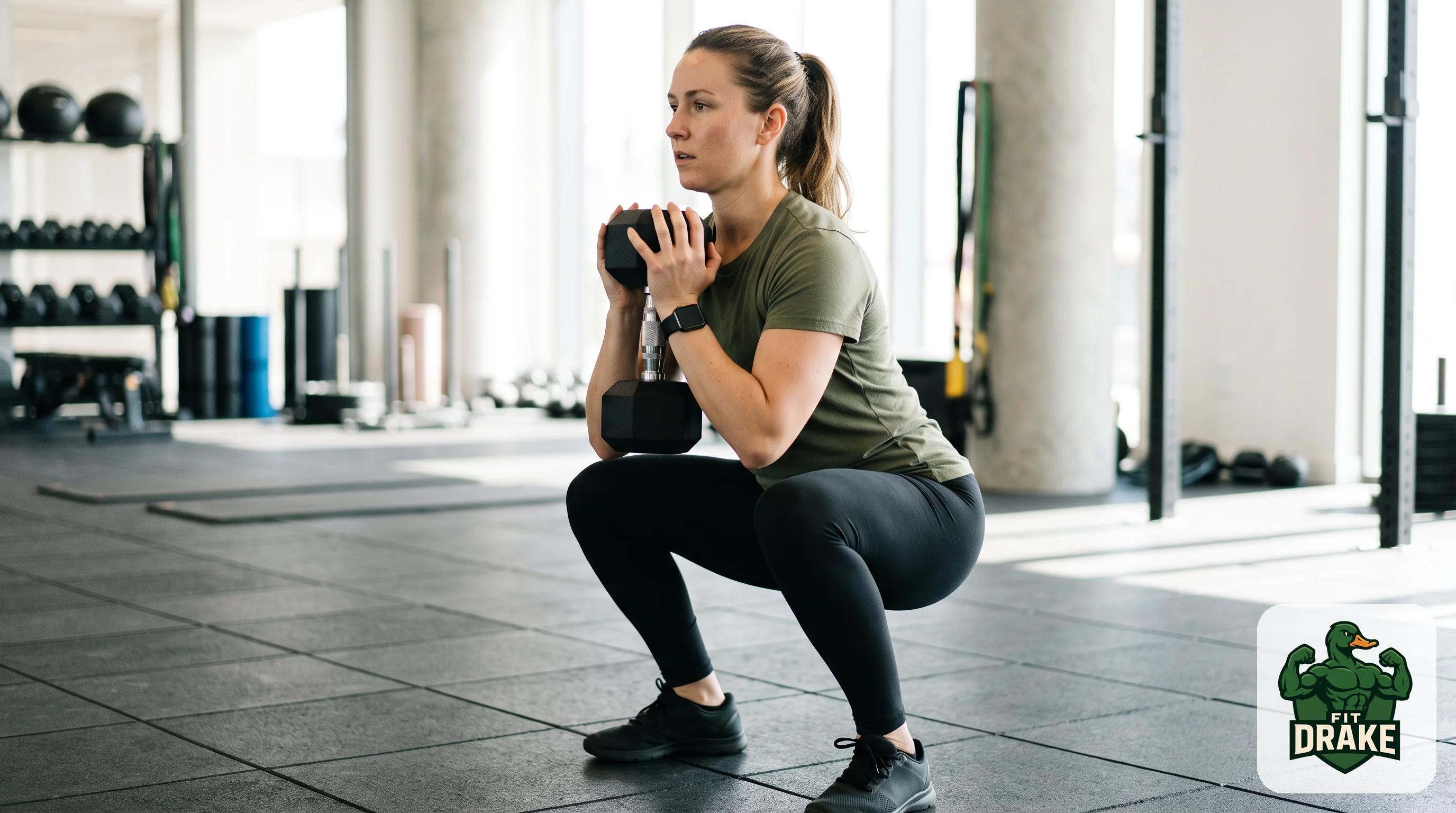
Here's what that looks like across four weeks of a dumbbell goblet squat with a target of 3 sets of 10. Again, these numbers are only an example of the pattern:
| Week | Weight | Reps per set | Next step |
|---|---|---|---|
| 1 | 30 lb | 10, 9, 8 | Same weight, aim for more reps on sets 2 and 3 |
| 2 | 30 lb | 10, 10, 9 | Same weight, close the gap on the last set |
| 3 | 30 lb | 11, 11, 10 | One rep over target on most sets, so go up |
| 4 | 35 lb | 9, 8, 8 | New weight; build back toward 10 |
Notice the jump in week 4. With dumbbells, the smallest step is often 5 lb, which at light weights can be more than 10%. That's normal. Expect reps to dip after a jump and climb back over the next few weeks.
Two habits make a log much more useful:
- Add a note only when a number surprises you. If week 2 had dropped to 8, 7, and 6, a short note like "slept badly" or "knees felt tight" explains it later. Don't write notes on every set.
- Review once a week. Look at your main lifts and ask one question: did the weight or reps go up? If a lift stalls for two or three weeks, change one thing, such as rest time or rep range.
For more ways to progress, see progressive overload explained. For tips on what else to record, read our guide to using a workout journal app on iPhone.
FitDrake's Progress tab shows your strength week by week alongside your weight against your goal.
Frequently asked questions
What is the best Apple Watch app for strength training?
The best one is the app you'll actually use every session. Look for wrist logging with the Digital Crown or one tap, last session's numbers on screen, a rest timer that taps your wrist, live heart rate, and Apple Health sync. Then pick by job: a logger, an auto-counter, or a guided plan.
Can I track strength training on Apple Watch without my phone?
Yes. Apple's Workout app runs on the Watch by itself and records time, heart rate, and estimated calories. Third-party lifting apps vary: some run a full session on the Watch, while others need the iPhone nearby for some steps. Check each app's description before you leave your phone in a locker.
Is there a weight lifting option on Apple Watch?
Yes. The Workout app includes Traditional Strength Training, which fits lifting with machines, barbells, or dumbbells. It records time, heart rate, and calories, but not the weight or reps you lifted.
What is the difference between traditional and functional strength training on Apple Watch?
Traditional Strength Training fits sets with machines and free weights and real rest. Functional Strength Training fits circuits with body weight, kettlebells, or light loads. In Apple's 2024 white paper, Functional Strength Training has a validated calorie model and Traditional Strength Training does not. Neither logs sets or reps.
Are Apple Watch strength training calories accurate?
Treat them as a rough estimate. Research on wearables during resistance exercise found calorie estimates weren't valid, and Apple's own validation for Functional Strength Training shows a wide spread from session to session. Use your weekly trends, not one workout's number.
Can Apple Watch count my reps automatically?
The built-in Workout app doesn't log reps or sets. Some third-party apps count reps from wrist motion, which works best on moves where your wrist travels the full range. Check the count after each set, and always enter the weight yourself.
Is Apple Fitness+ good for strength training?
Apple Fitness+ offers follow-along strength classes, which can suit people who like guided videos. It isn't a set-by-set lifting log, so if you want to track weight and reps over time for progressive overload, pair it with a lifting app or journal.
Do I need an Apple Watch for strength training apps?
No. Most lifting apps work on iPhone alone. The Watch adds faster logging, a rest timer on your wrist, and live heart rate, so you can keep the phone out of your hands.
Want FitDrake to plan and track your lifts from your wrist?
FitDrake builds your plan (exercises, sets, reps and rest) from your goal, schedule, equipment and training level. FitDrake's Apple Watch app lets you log sets with the Digital Crown and follow your rest countdown. You can see how the plan is put together on our AI workout planner page.
Download FitDrake on the App Store and start with the free plan, which includes one goal, one AI workout plan, and weight and measurement tracking.
Key takeaways
- A good Apple Watch lifting app lets you see the next exercise, log weight and reps from your wrist, time rest with a tap, and see last session's numbers.
- Apple's built-in Traditional and Functional Strength Training workouts record time, heart rate, and calories, not sets, reps, or weight.
- Wrist heart rate is useful context during lifting; calorie numbers for strength sessions are rough estimates.
- Manual logging is the reliable record. Treat automatic rep counts as a convenience you check.
- Choose an app by job (logger, auto-counter, or guided plan) and use your log to add weight once you beat your target reps.